Workout tracker for iPhone and Android
Log every set.
Watch the weight go up.
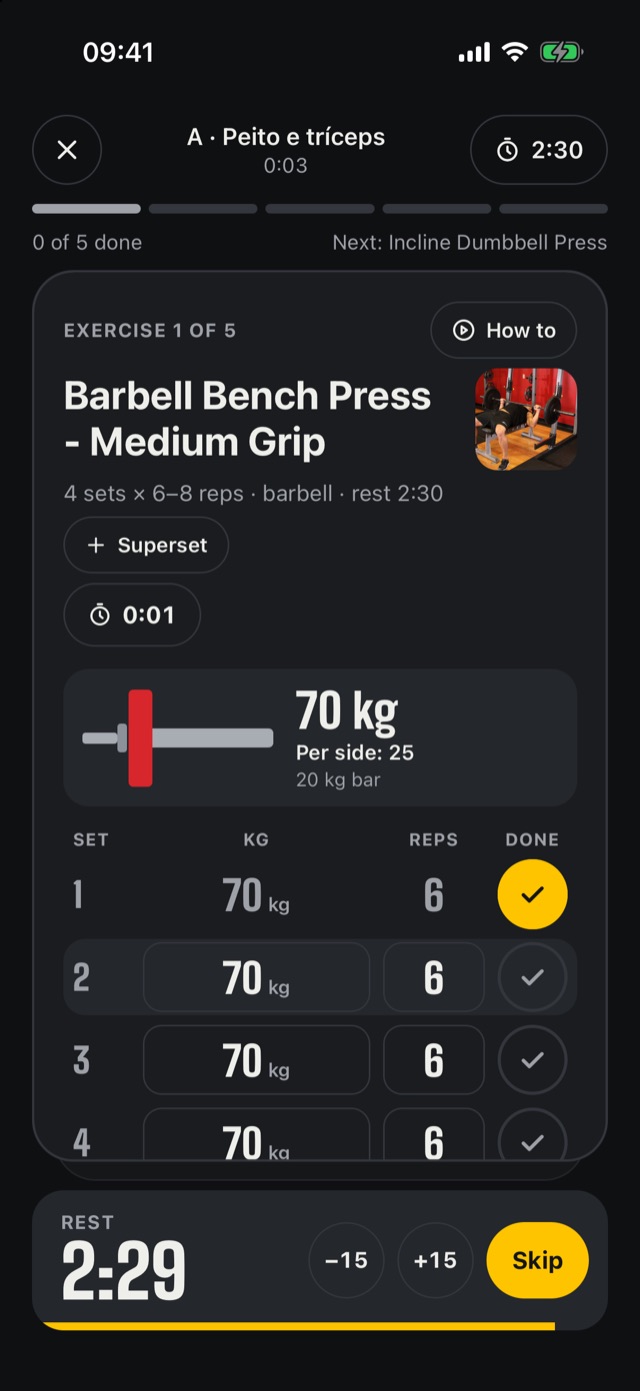
Every exercise is a card. Check a set, rest is timed for you, and next session Carga suggests the weight.
Free. No account needed.
At the gym
Less time on your phone, more time lifting
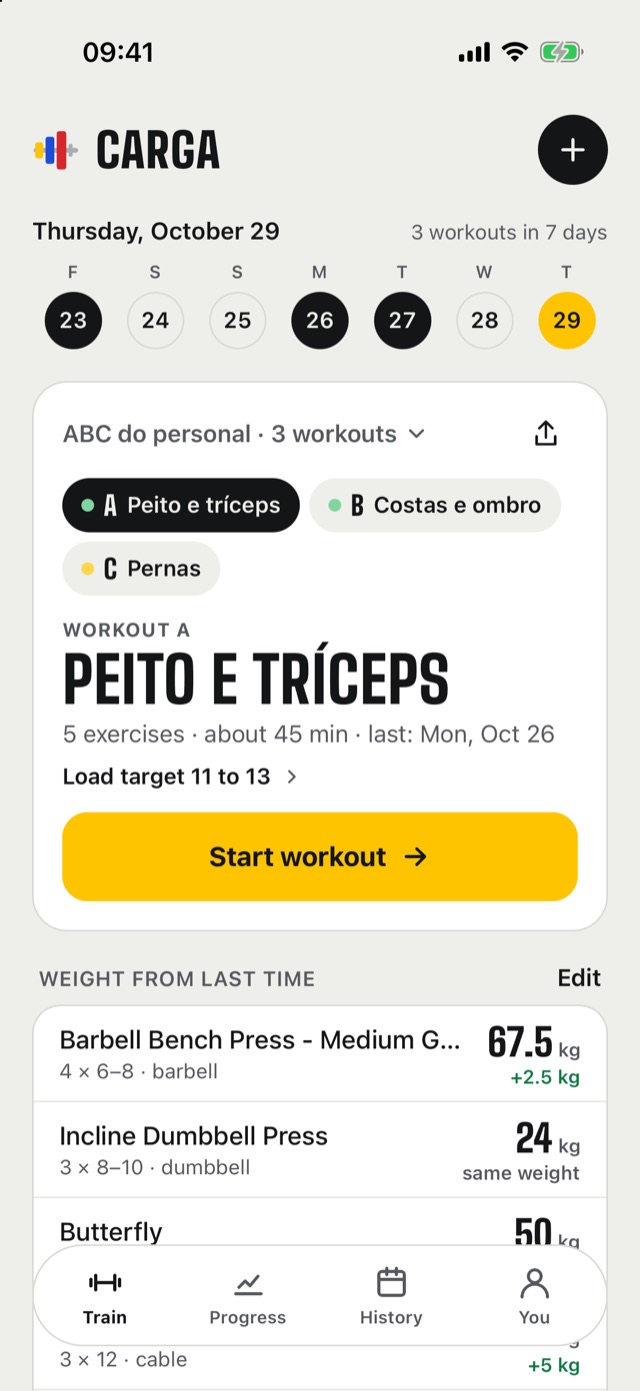
Today’s workout, ready
Give each workout a day and the app opens on the right one, with last time’s weights.
One card per exercise
Check a set and the rest starts. The bar shows the plates per side. Machine taken? Swap it for today only.
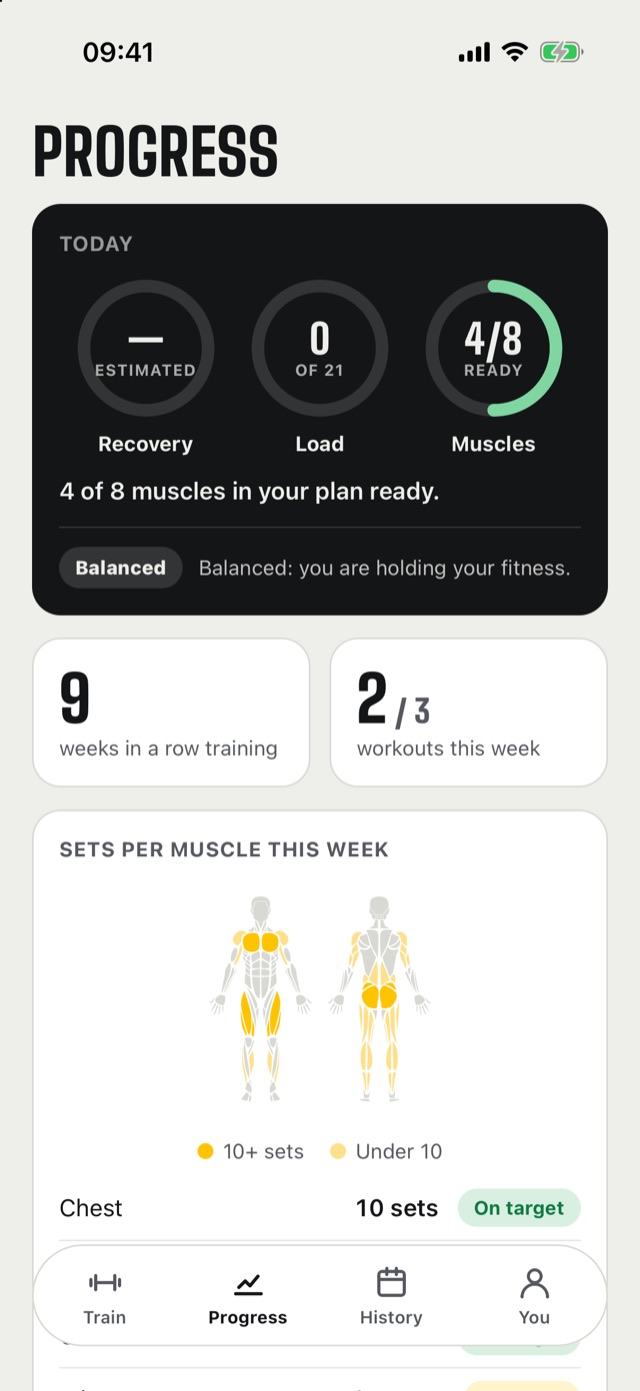
Progress you can read
A weight chart and records for every exercise, sets per muscle this week and which muscles have recovered.
On iPhone
Your rest on the Lock Screen
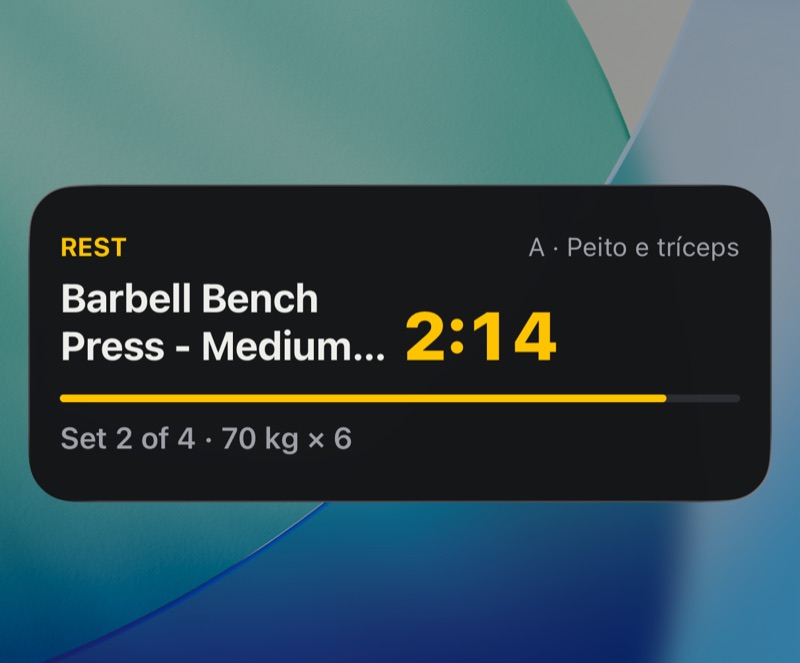
Lock your phone between sets. The timer and your next set show on the Lock Screen and in the Dynamic Island.
- When rest is up you’ll see “Go, next set”, even with the app closed.
- Supersets on the spot: pair two exercises and log the weight for both.
- Want one more set? Tap + Set.
Building your plan
From your trainer, from AI, or your way
Paste it from WhatsApp
Or snap the gym’s workout sheet. Carga reads “incline db press 3x12” and only asks you to check what it wasn’t sure of.
Generate with AI
Tell it your goal, days, time and where you train. Pain or an injury? Exercises that load that area are left out.
Or build it yourself
Over 180 exercises with steps and the muscles they work, or ready templates like push/pull/legs and full body.
With your trainer
Your trainer follows along live
Invite them with a link. They see your workout as it happens, adjust the next set, swap exercises and leave notes that show on your screen. You choose what they can see and edit.
Are you a trainer with a CREF, Brazil’s trainer registration? Turn on trainer mode, see who’s training right now, who’s gone quiet and who reported pain, and send one template to several clients at once.
For trainers
All your clients in one place
The app opens on your clients. Building a workout asks who it’s for, and the editor always shows whose plan it is. Your own training has its own tab.
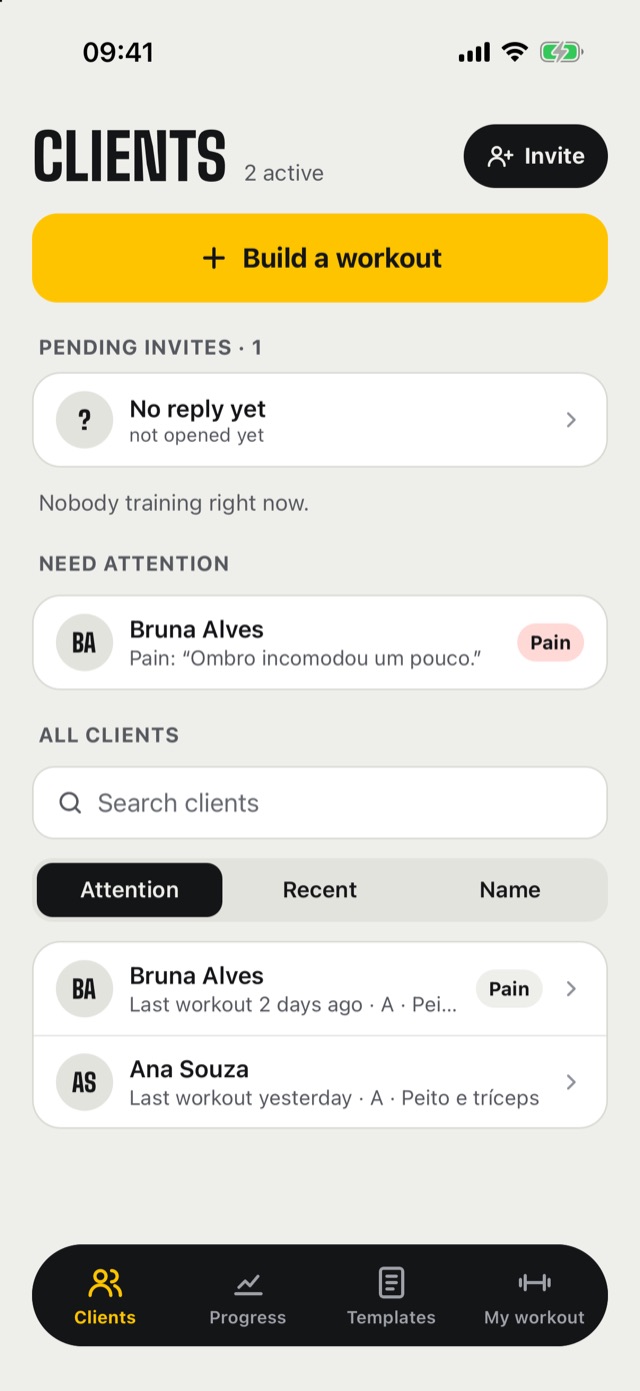
Who needs you
Who reported pain, who’s gone quiet, who’s training right now and the invites not accepted yet.
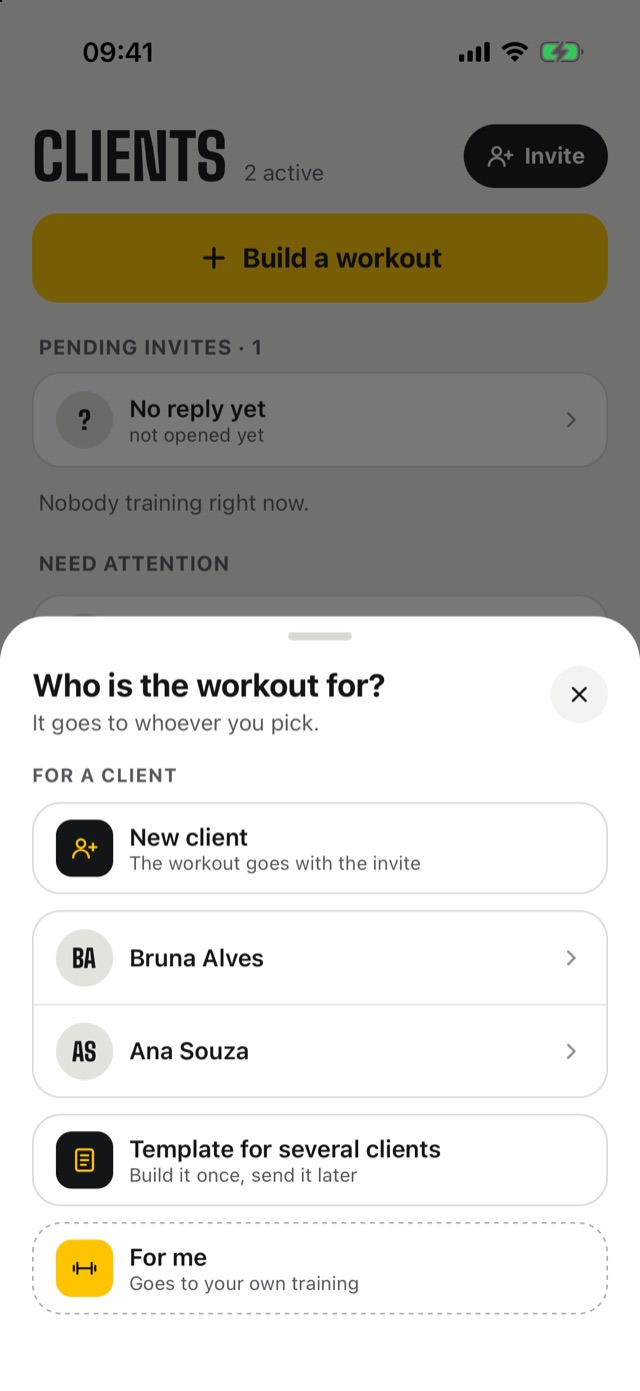
Who is it for?
A client, a new client along with the invite, a template for several, or yourself.
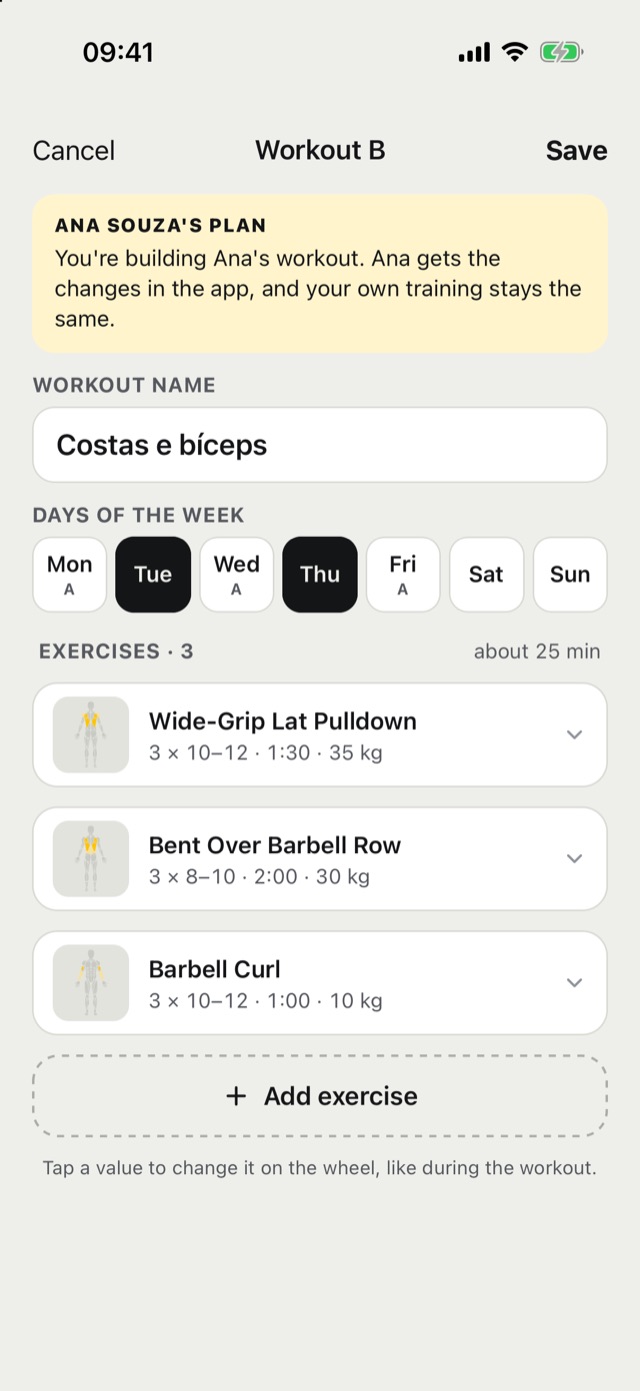
Never mix up whose it is
The editor shows whose plan it is. Save, and your client gets it in their app. You can also see the workout as they do.
With Apple Watch
Know if today is a day to go heavy
Carga reads what your Apple Watch measures from Apple Health (heart rate variability, resting heart rate and sleep) and shows your recovery from 0 to 100%, against your own normal.
- Daily load from 0 to 21 and your Form: fresh, balanced or building fatigue.
- A muscle map: which are ready, and when each one will be.
- A score for each night and how regular your sleep was over 14 nights.
- Your workouts go to Apple Health, where WHOOP and Garmin can read them.
And more
No account needed
Start without signing up. With an account, your workouts come back if you switch phones.
Weight, measurements, photos
How they change over time, and progress photos that stay on your phone only.
Share
Send a workout by link, or a story-sized image of a workout, a record or your year.
Let’s lift
For iPhone and Android. In English and Portuguese.